A bag leaving the filler may appear close to its target mass, but an in-motion measurement is not made under the same conditions as a static scale reading. The load-cell signal changes transiently as the pack enters and leaves the weighing belt; belt speed, pack length and spacing determine the usable measuring time. This guide explains how to validate that window and the automatic reject chain before selecting or retuning a weigh conveyor.
Start with geometry and speed
OIML R 51 and the European Union’s MI-006 define an automatic checkweigher as an instrument that determines the mass of a pre-assembled discrete load without operator intervention and can classify it against a nominal set-point. That task differs from a belt scale measuring the continuous flow of bulk material. The project specification must first state whether the product is a discrete pack or an uninterrupted material stream; otherwise the wrong instrument class, test method and control scenario may be chosen.
A first screening check can use the theoretical full-belt time t = (B − L) / v. B is the effective weighing-belt length, L is the product length in the travel direction and v is belt speed. If B = 1,50 m, L = 0,80 m and v = 0,10 m/s, the theoretical time with the whole product on the weighing zone is 7 s. At 10 packs/min, the interval is only 6 s, so the one-product condition cannot be maintained. Entry and exit transients and signal settling consume additional time; this calculation is an early layout check, not an accuracy guarantee.
Stabilise the mechanical signal before software
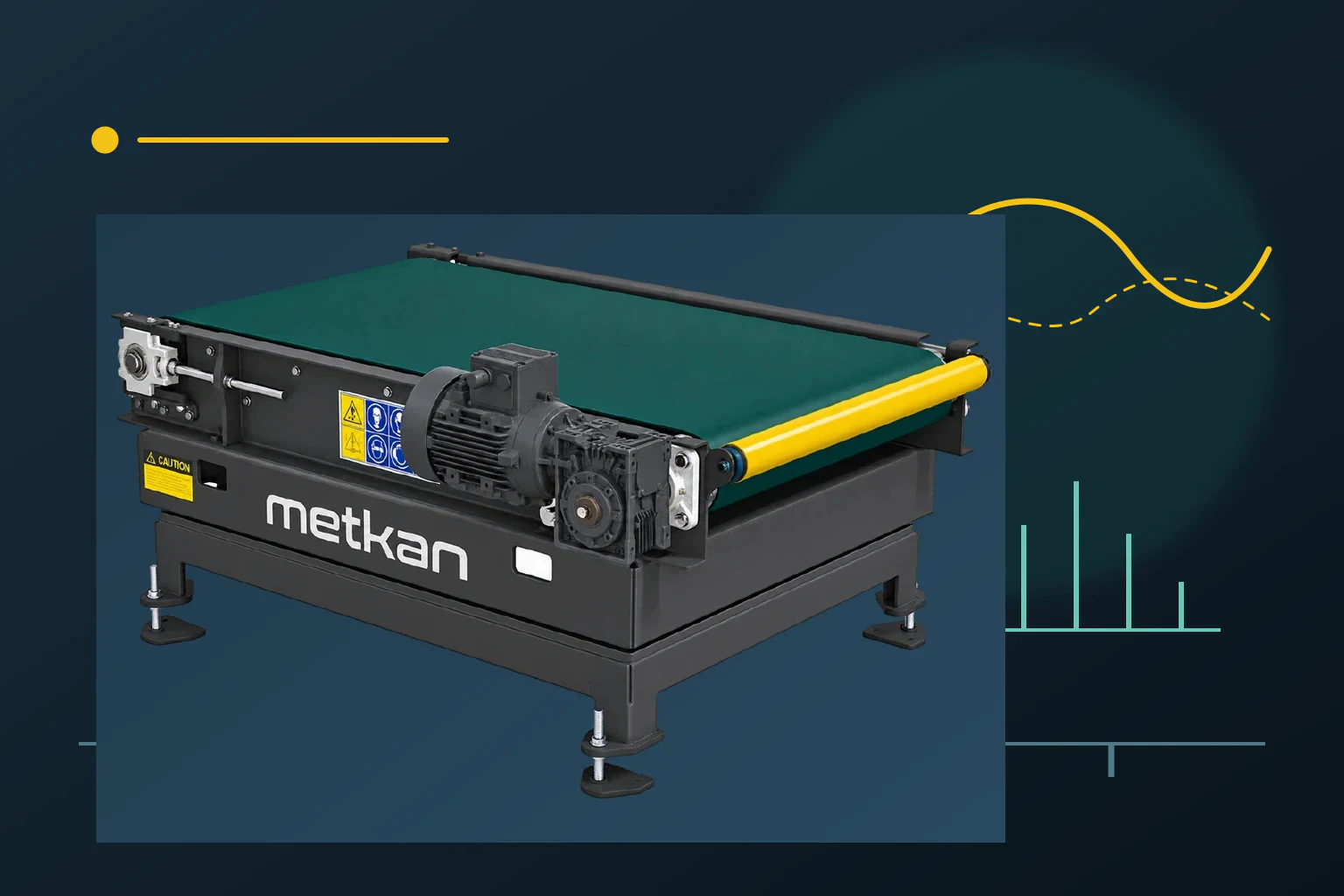
The weighing conveyor must not be tied to its infeed and outfeed conveyors through rigid contacts that transfer load. If a pack rubs a guide, a cable or guard pulls on the moving frame, or a neighbouring machine transmits vibration, the load cell no longer measures mass alone. The frame must be level, belt tension and rollers must move freely, and the product must not touch another surface while in the weighing zone. If zero shifts with belt speed while empty, mechanical and electrical causes are checked before filtering is adjusted.
Dynamic-weighing studies show that motors, gearboxes, rollers, product shape and environmental vibration can enter the load-cell signal as oscillation and noise. Digital filtering helps, but it cannot lengthen a short measuring window or remove mechanical contact. An overly slow filter may not settle before the product leaves the weighing zone. Raw signal, filtered value, photo-eye timing and belt speed should therefore be recorded for the same cycle.
Test automatic mode with real packs
A static reference is a basic load-cell check, not the whole dynamic performance test. OIML’s 2026 experimental note highlights that product shape, size and centre of gravity affect automatic checkweighing. The verification load should therefore reproduce the real pack’s mass, dimensions, flexibility and internal mass distribution as closely as practical. Empty-belt zero, static readings of a known reference at several positions, and automatic passes of the real product are recorded separately. The patterns below prioritise checks; they are not a fault diagnosis by themselves.
| Observation | Priority cause | Verification |
|---|---|---|
| Zero changes with empty-belt speed | Mechanical contact, vibration or electrical noise | Zero with belt stopped/running, contacts and raw signal |
| Static correct, automatic spread wide | Short window, vibration or filtering | Speed steps, raw signal and photo-eye timing |
| Result changes between right and left passes | Off-centre load or force transfer to the frame | Repeat static and automatic tests at different positions |
| Weight correct, wrong pack rejected | Product tracking and reject timing | Known low/high pack and reject-confirmation sensor |
Do not judge the result by one average
One good reading does not prove stability across speed and product changes. At least low, nominal and high reference masses are checked through repeated passes at normal operating speed. If results change when the product travels on the right or left side, load transfer or off-centre loading is investigated. If the spread grows with speed, the weighing window, mechanical vibration and filter settling time are evaluated together. Permissible error, repetition count and verification method must be set for the instrument class, intended use and applicable law of the project.
Match the reject signal to the physical pack
Rejecting the wrong pack after a correct weighing result is still a quality failure. The PLC record should tie product identity or sequence number, entry photo-eye, weight result, classification decision, reject sensor and reject confirmation to the same cycle. A known low and high test pack are introduced separately to confirm that the correct physical pack is removed. If the reject station is remote from the weighing belt, accumulation, slippage and manual pack removal between the stations must be included in the tracking logic.
The acceptance record should keep product and pack dimensions, belt speed, pack spacing, weighing-zone length, reference masses, raw and filtered signals, automatic results and reject confirmation together. This turns “the scale is wrong” into a question of mechanical layout, measurement time, signal processing or tracking. Send Metkan the pack dimensions, mass range, packs/min target, required data transfer and reject arrangement so the weigh conveyor and automation scope can be assessed together.
Sources and measurement limits
The sources support instrument classification, automatic testing and dynamic signal effects. The 7 s and 6 s values are an explicit illustrative geometry calculation, not a Metkan guarantee of accuracy, capacity or regulatory conformity.
- OIML R 51-1:2006 — Metrological and technical requirements for automatic catchweighers
- Directive 2014/32/EU, MI-006 — Official definitions and essential requirements for automatic weighing instruments
- NIST Handbook 44, 2026 — Current technical and test requirements for automatic weighing systems
- Mechanical Systems and Signal Processing 2014 — Dynamic mass measurement with a time-variant filter
- Journal of Sensors 2017 — Experimental analysis of load-cell noise in belt-based automatic weighing
- OIML Bulletin 2026 — Dynamic test-load experiment representing product shape and centre of gravity